Comments Exporter for Facebook
Export available comments and replies from Facebook posts you are permitted to access into CSV/Excel. Review visible interaction data in a structured file while staying responsible for consent, platform rules, and applicable privacy obligations.
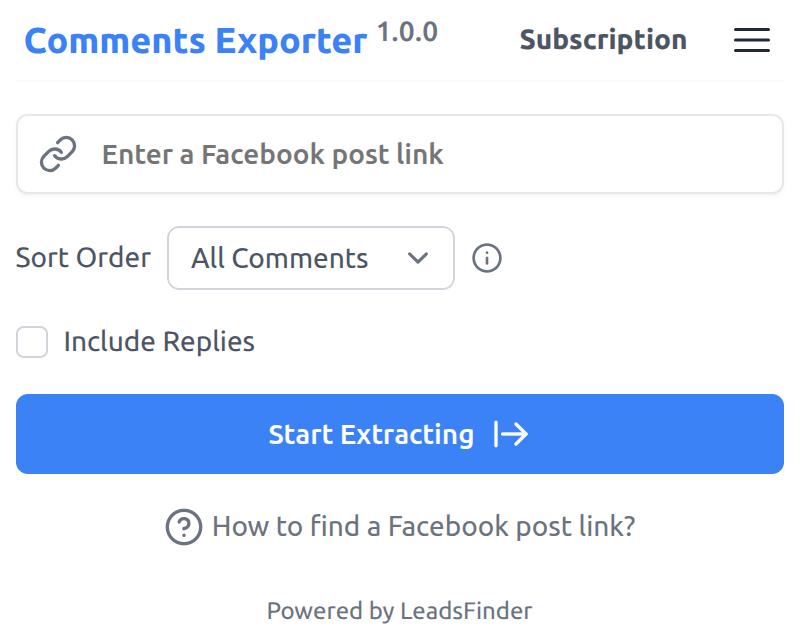
Export Facebook comments to CSV
Paste a post link, start an export, and Comments Exporter organizes available comments and replies into a convenient CSV file. Export results depend on what Facebook makes visible to your account and what you are authorized to collect.

Responsible use
Comments Exporter is built for legitimate review, reporting, and recordkeeping workflows. Use it only for posts and data you have a lawful basis or permission to access.
Respect access limits
Do not use the extension to bypass privacy settings, restricted content, rate limits, or platform access controls.
Handle personal data carefully
Export only what you need, protect downloaded files, and delete data when it is no longer required.
Follow applicable rules
You are responsible for complying with Facebook terms, privacy laws, consent requirements, and internal policies.
Data fields available for export
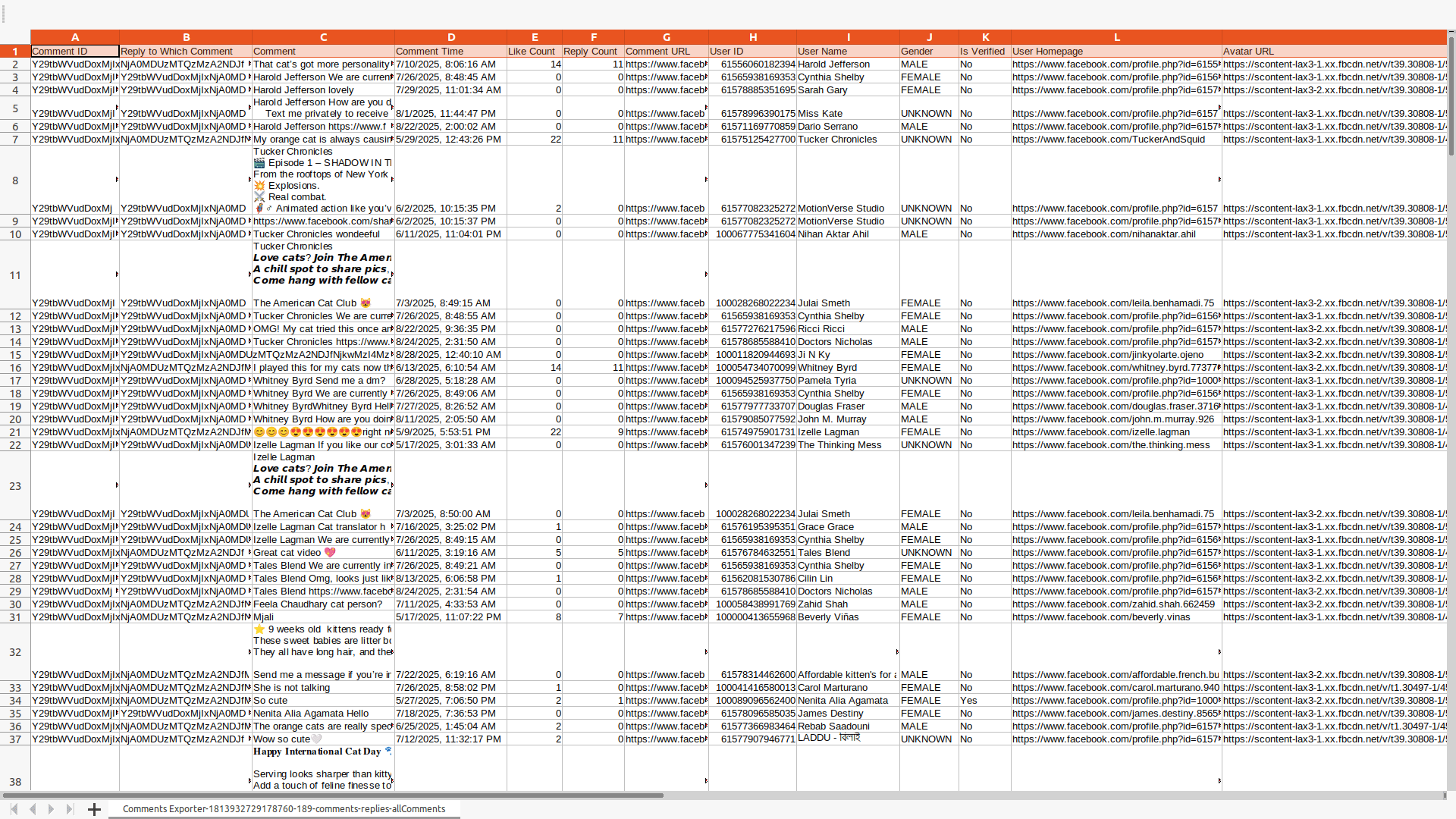
The following table lists supported fields. Availability may vary based on post visibility, privacy settings, account permissions, and Facebook availability.
| Field Name | Description |
|---|---|
| Comment ID | The visible identifier associated with the comment |
| Reply to Which Comment | The visible identifier of the parent comment, when the item is a reply |
| Comment | The comment text available to the signed-in account |
| Comment Time | The time when the comment was posted, when available |
| Like Count | The visible number of likes on the comment |
| Reply Count | The visible number of replies on the comment |
| Comment URL | The URL of the comment, when available |
| User ID | The visible identifier associated with the comment author |
| User Name | The visible name of the comment author |
| Gender | The gender shown on the user profile, when visible |
| Is Verified | Whether the profile is visibly marked as verified |
| User Homepage | The visible URL of the user's profile page |
| Avatar URL | The visible URL of the user's profile picture |
Start with a free plan
Use Comments Exporter for posts and data you are allowed to access, then download available comments and replies as CSV/XLSX.
Pricing
Start for free, stay for the value.
Free
$0
Get started for free
- Export up to 100 comments per post
- Include comment replies
- Export results as CSV / XLSX
- Resume exports from History tasks
Pro
$9/month
Maximize your results with the Pro Plan
- Export more available comments per post, subject to platform availability
- Include comment replies
- Export results as CSV / XLSX
- Resume exports from History tasks
Frequently asked questions
Feel free to contact us if you have any other questions.
What is Comments Exporter for Facebook?
Comments Exporter helps you export available comments and replies from Facebook posts you are permitted to access. It organizes fields such as comment text, comment time, like count, reply count, and related metadata into CSV/XLSX for review, reporting, or recordkeeping.How to find a Facebook post link?
You can find a Facebook post link either by copying the URL from the browser’s address bar when viewing the post page, or by clicking the "Share" button at the bottom of the post and selecting "Copy link".
How to use Facebook Comments Exporter?
To use Comments Exporter, add the extension to your browser and create an account. After signing in, enter a Facebook post link you have permission to use, click the "Start Extracting" button, and download the available results when the task is complete. Exported fields may vary based on visibility, account permissions, and Facebook availability.Why is the number of extracted comments lower than the count shown on the page?
The number shown on the page may not be accurate. It can include deactivated accounts, recently removed comments, or comments hidden due to privacy settings. Facebook may also delay updates or display cached data. Comments Exporter does not bypass privacy or access restrictions.
How to upgrade my plan?
To upgrade your plan, please note that the process currently requires manual intervention from our side. To initiate the upgrade, kindly reach out to our support team and provide them with the details of your desired plan. They will assist you in upgrading to the plan that best fits your needs.Can I cancel my subscription?
You can cancel your subscription at any time through your extension's subscription page. Once canceled, you will retain access to the subscription until the end of your billing cycle.